
Applied Labels vs Preprinted Stand-Up Pouches
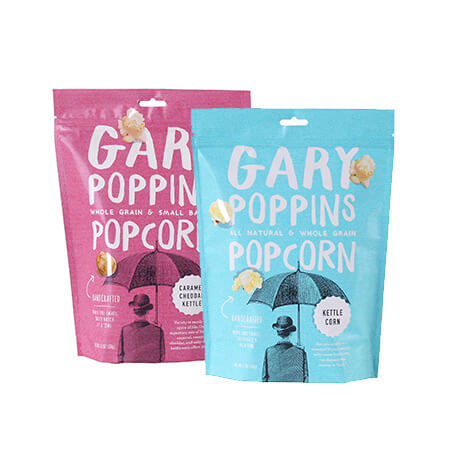
Stand-up pouches can carry branding in two main ways: pressure-sensitive labels applied to stock pouches or artwork printed directly onto the pouch film before the bags are formed. Applied labels keep the blank pouch and artwork inventory separate. Preprinted pouches turn the graphics into part of the package itself.
Stand up pouch labels are usually the practical choice for early tests, frequent recipe changes and very small quantities. Preprinted pouches provide full-panel graphics, consistent placement and no secondary labeling step. The right choice depends on order volume per SKU, how often the artwork changes, the labor available for application and the finish expected at retail.
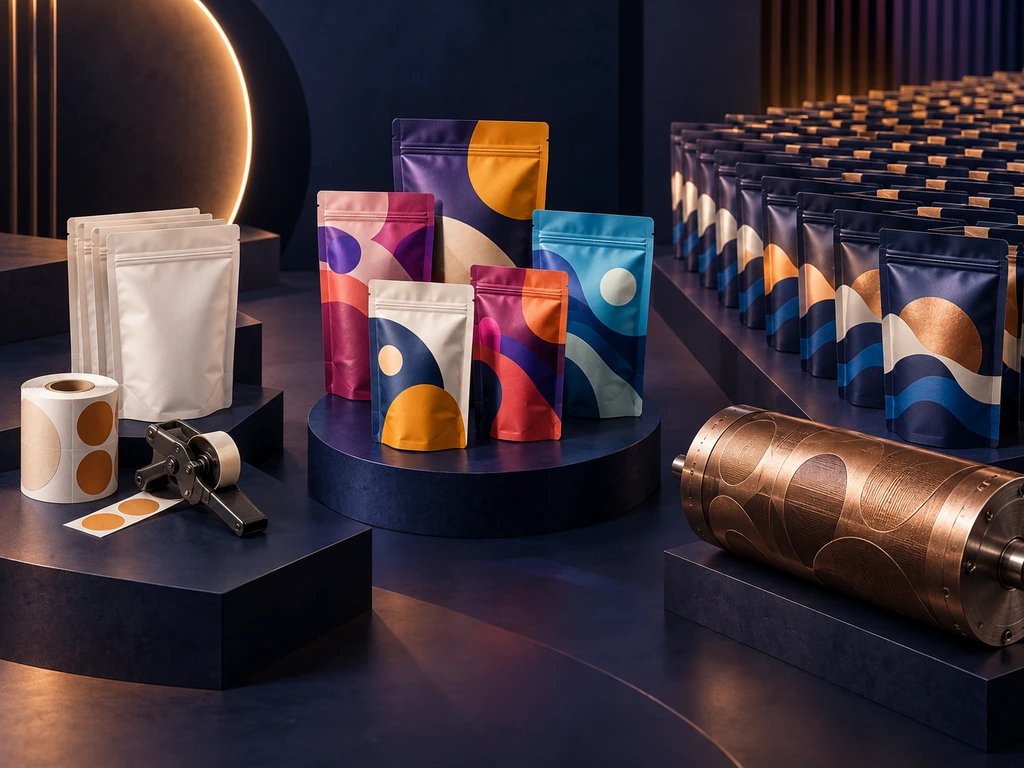
There are three practical production routes: apply labels to blank pouches, use digital printing for small or mixed-SKU preprinted runs, or use rotogravure for large and stable volumes. Comparing all three prevents a low label price from hiding labor, rejects and version-management costs.
How Stand Up Pouch Labels Fail: Materials, Placement, and Application
Labeling works well on pouches, until one of four things goes wrong: the adhesive will not grab the film, the label lands crooked, it bubbles, or it lifts at the edges a week later. All four problems trace back to three decisions you make before buying anything: the label construction, the placement, and the application conditions.
Match the Label Material and Adhesive to the Pouch Face
A stand-up pouch is usually a laminate of films such as PET, PE, or metalized PET bonded together, and that surface behaves differently from a glass bottle or a paperboard box. A BOPP film label is a common choice for plastic-faced pouches; a paper label can match the look of a kraft pouch but needs a protective overlaminate if the contents are oily or the bag will see moisture.
Adhesive choice matters more than face material. Every pressure-sensitive adhesive has a minimum application temperature. Below it, the adhesive cannot wet the surface and the bond never forms properly. Avery Dennison’s adhesive technical guide recommends checking both application temperature and service temperature. If your workspace runs cold or the pouches sat in an unheated garage overnight, check those limits on the label supplier’s specification sheet before applying anything.
Surface finish adds one more variable. Matte films grab a label differently from gloss films, and a metallic inner lining can shift how a transparent label reads. Order a small sample sheet of labels and test them on the actual pouch material, not a similar-looking one, before committing to a full run.
Stand Up Pouch Label Design: Calculate the Usable Panel First
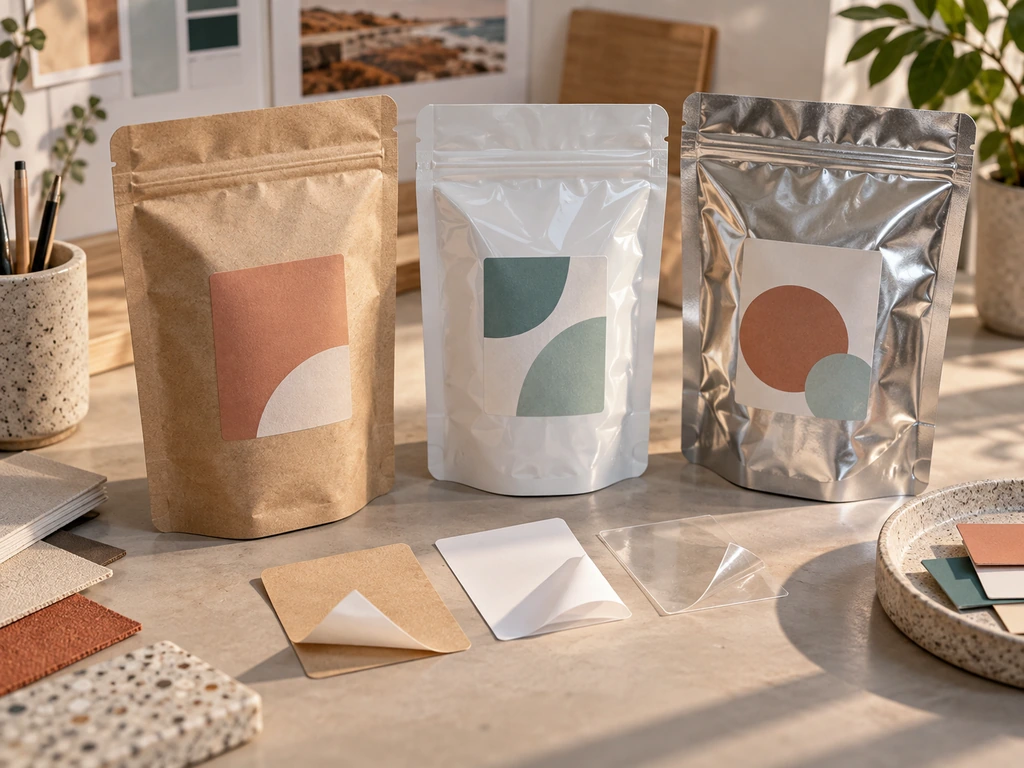
The usable area on a custom stand-up pouch is smaller than the pouch looks, because the edges are working machinery, not decoration. Typical bag-making geometry runs like this: side and bottom seals take 7–9 mm, and the tear notch sits about 15 mm below the top seal. A standard zipper is around 13 mm wide, placed 30–35 mm from the top. A standing pouch label must stay inside the flat face so it does not cross the seals, zipper band, rounded corners or gusset.
Sketch the usable panel before you size the label: front face minus the seal margins, minus the zipper band, minus any rounded corners. If your pouch has a transparent window, the label either frames the window or stays clear of it, because half-covering a window looks like a mistake to shoppers. Split information across faces instead of forcing one large label: brand and product name on the front, ingredients and regulatory text on the back, and leave the gusset free.
If you may later move from an applied label to full-panel printing, plan the artwork around the same zipper, seal, gusset, and window constraints. Our stand-up pouch design guide helps you carry the layout from a flat mockup to the finished bag.
Apply Under the Right Conditions, or the Label Will Tell on You
Professional packers apply labels to flat, unfilled pouches for a reason. An empty pouch lies flat and takes pressure evenly; a filled pouch bulges, and the curved surface is where bubbles, wrinkles and skewing start. Test the selected label stock on the actual pouch film before ordering. The FINAT Technical Handbook provides standardized methods for evaluating pressure-sensitive label materials rather than relying on appearance alone.
The four failure modes each have a specific cause and a specific fix:
- Bubbles mean air trapped under the label. Squeegee from the center outward, or choose a label with channel cuts in the adhesive for air release.
- Crooked labels are a hand-alignment problem, not a label problem. A simple alignment jig, even a folded cardboard cradle, turns a guess into a repeatable position.
- Edge lift and flagging start at sharp label corners, which catch and peel first; rounding the corners reduces the exposed lifting points.
- Cold-surface peeling shows up when labels go onto cold or damp pouches; application temperature and surface condition both need to be right before the label touches the film.
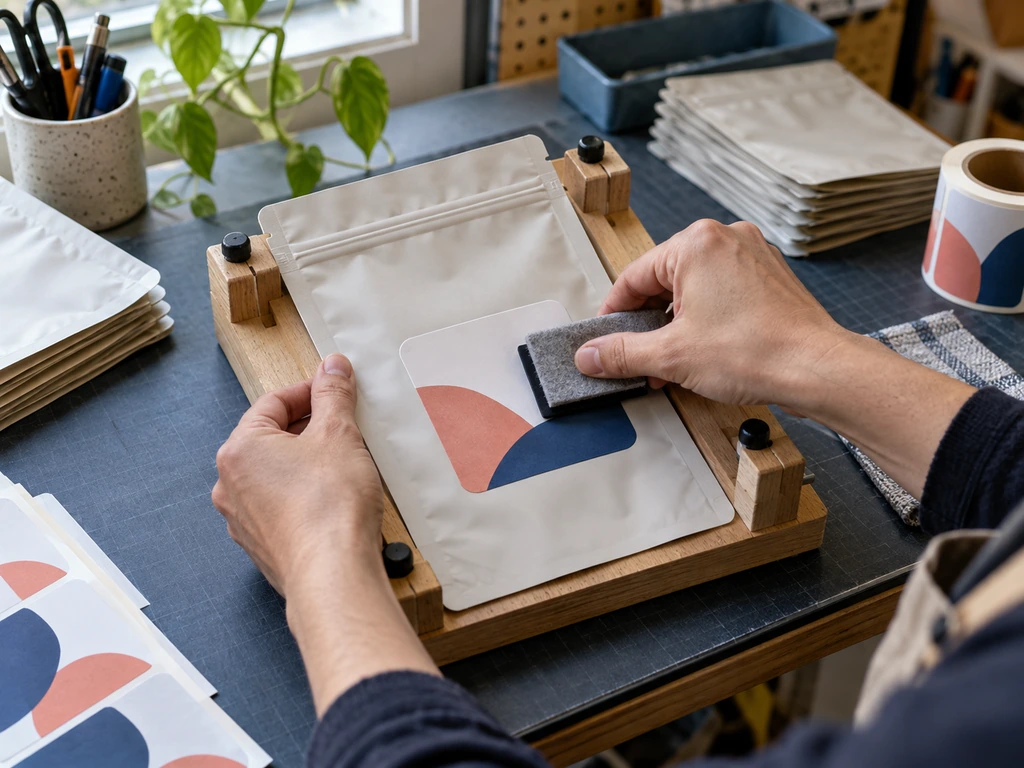
Manual or semi-manual labeling adds a separate handling step to every pouch. Measure the actual application rate and reject rate on your own pouch format, because a flat gusseted bag does not move through labeling equipment like a rigid bottle.
Some pouch formats need extra caution:
| Pouch face / scenario | Label viability | Common failure | Action that prevents it |
|---|---|---|---|
| Gloss plastic laminate face | Good | Bubbles under the label | Squeegee center-out on a flat, unfilled pouch |
| Kraft paper face | Good | Adhesive starved by porous fiber | Use a high-tack adhesive; test on actual kraft |
| Matte laminate face | Good | Low-sheen mismatch at label edges | Choose a matte label face or full-coverage design |
| Metallic inner lining | Workable | Transparent label reads dark | Proof on the real material before ordering |
| Transparent window area | Avoid | Label half-covers the window | Design the label to frame the window or keep clear |
| Rounded corners | Good | Edge lift at the corners | Round the label corners to match |
| After filling | Poor | Bubbles, skewing, wrinkles | Always apply before filling, flat on a jig |
| Cold workspace (below adhesive MAT) | Poor | Bond never forms; peeling | Warm pouches and labels, or spec a cold-temp adhesive |
Applied Labels vs Digital and Gravure Preprinting
The best route becomes clearer when the label price is compared with the complete packaging workflow rather than the decoration cost alone.
| Decision factor | Applied labels | Digital preprinting | Gravure preprinting |
|---|---|---|---|
| Best fit | Market tests and artwork that changes often | Small batches, seasonal designs and many SKUs | Stable, high-volume bestsellers |
| Setup | Stock pouch plus separate label inventory | Artwork file with no printing cylinders | One engraved cylinder per color and design |
| Graphic coverage | Limited to the flat label panel | Full printable pouch area | Full printable pouch area |
| Labor after delivery | Each pouch must be labeled and checked | No secondary labeling step | No secondary labeling step |
| Version control | Separate label stock for every SKU | Mixed-SKU runs can share a production batch | Each design is normally produced separately |
| Main tradeoff | Low entry cost but recurring labor and rejects | Flexible quantities with a higher unit cost than long-run gravure | Lowest unit cost at scale but higher setup commitment |
When a Label Stops Being the Cheap Option
Labels carry the reputation of being the cheap option, and at the moment of purchase they are: a roll of labels costs less than a print run. The reputation breaks down because the label price is only one line in a ledger that keeps charging you after the labels arrive.
The Real Ledger Behind “Cheap” Labeling
Count the lines. There is the labor required for alignment, pressing and a visual check. There is the reject rate: every bubbled or skewed label is a pouch you re-label or write off. There is the consistency ceiling: even with a jig, labels can vary by a millimeter or two, and shoppers notice crooked placement quickly. Once you run more than a handful of products, there is also version inventory: every SKU needs its own label stock, counted, stored and scrapped when a formula or design changes.
None of these lines appears on the label invoice. The hidden cost shows up in a strange place: finished goods priced by other sellers often reveal that a pre-labeled pouch retails well above its blank-plus-label arithmetic. The savings quietly come back as labor and rejects.
Compare Total Applied Cost, Not the Label Price
Build the comparison at the finished-pouch level. For applied labels, add the blank pouch, printed label, receiving and storage, application labor, quality inspection, rejected labels and pouches, and obsolete label rolls after an artwork change. If labels are applied after filling, include the slower handling and extra space required around the filling operation. These costs do not need to be large individually to change the result across several SKUs.
For preprinted pouches, count the printed pouch price, proof or setup charges, freight, and the risk of holding finished packaging after a recipe or regulatory change. Digital printing reduces the setup commitment and lets several designs share a run, but it does not eliminate obsolete inventory. Gravure lowers the unit price at scale, but its cylinders and larger production commitment make late artwork changes more expensive.
Use the same forecast window for all three routes. Compare the quantity expected to sell before the next artwork change, not the quantity the supplier would prefer to quote. A stable bestseller may justify preprinting while a seasonal flavor from the same brand remains on labels. The correct answer can therefore differ by SKU even when every product uses the same pouch size and material.
Six Signals It Is Time to Quote Printed Pouches
Because the costs hide in operations rather than invoices, the decision to switch rarely announces itself. It shows up as one of these six signals:
- Rejects and labeling hours are visibly eating margin on your bestseller.
- A retail channel wants full-bleed graphics or a finish (matte, metallic) that labels cannot fake.
- Your SKU count has multiplied and the label version inventory has become its own small warehouse problem.
- Monthly volume per SKU has stabilized in the several-hundreds and beyond, so repeated orders can carry setup costs.
- Batch and date coding needs a plan that spans labeling and filling, not an afterthought.
- Your pouches are sold face-forward, and hand-applied variance is the first thing a buyer’s eye finds.
One signal points the opposite direction, and it matters: if your formula, artwork, or language versions change frequently, labels remain the better tool precisely because they decouple the artwork from the pouch stock. A printed pouch that becomes obsolete is a bigger write-off than a roll of outdated labels.
The switch-signal checklist
- Rejects and labeling hours eating margin
- Retail demands full-bleed or special finishes
- SKU label inventory multiplying
- Volume stable at several-hundreds or more per SKU
- Batch coding needs a system
- Shelf-facing variance noticed by buyers
The Premise Behind “Labels Are Cheapest” Has Changed
The old rule was to label first and print only after a product became large enough for conventional minimums. Digital printing changes that threshold by producing flexible film directly from the artwork file without printing cylinders. At Baishen, our digital printing route starts at 500 pieces per SKU with a typical production time of 7–10 business days, while gravure remains the better fit for large, stable runs.
Our 30-SKU launch case shows how the economics change when every design carries eight or more colors:
So the modern rule is not “label until you are big.” Label to test a market cheaply, and treat a stable SKU as printable at quantities that would have sounded absurd five years ago. Labels lose to printing at a much lower volume than the old advice assumes, but they still win outright when formulas and artwork change frequently.
Choosing the Printing Route: Digital vs Rotogravure
Once you decide to quote printed pouches, two processes compete for the order, and they win under opposite conditions. Digital printing images the film directly from your artwork file, with no plates and no cylinders, which is why minimums are low and turnarounds are short. Rotogravure engraves one cylinder per color and runs at high speed, which is why its unit price falls below digital once volumes are large and stable.
| Dimension | Digital printing | Rotogravure |
|---|---|---|
| Setup cost | No plate or cylinder fees | One cylinder per color, engraved per design |
| Typical MOQ | From ~500 pcs per SKU | ~10,000 pcs (industry); 5,000–10,000 at flexible converters |
| Turnaround | 7–10 business days | 23–25 days industry; 15–20 days at efficient converters |
| Color count | No practical artwork color limit; output depends on the press ink set and gamut | Up to 10 colors (one cylinder each) |
| Color control | Digital proofing and approximately 97% Pantone coverage on Baishen’s Indigo lines | Excellent repeatability once cylinders are set |
| Multi-SKU runs | Split-run: several SKUs share one batch | Each design runs separately |
| Unit cost curve | Flat; little volume discount | Falls steeply with volume |
| Best fit | Testing, seasonal, many SKUs | Proven SKUs at stable high volume |
HP Indigo digital presses are positioned for on-demand flexible-packaging production and growing SKU ranges, but actual minimums, lead times and color targets still depend on the converter. This comparison reflects Baishen’s current production routes.
The boundary between digital and gravure moves with your SKU structure, not just total volume. Many scattered SKUs, small runs per SKU or tight timelines favor digital. A single proven design running steadily in the thousands per month favors gravure because the cylinder cost is distributed across more units. Between those poles, the common path is digital to validate and gravure to scale. Material structure is a separate decision: common stand-up pouch structures include high-barrier PET/AL/PE for coffee and oxygen-sensitive goods as well as matte MOPP/VMPET/PE constructions for consumer products.
Before You Commit: Sampling, Color Checks, and Handover Pitfalls
The move from labeling to printing runs through four steps, and each has a place where first-timers lose money.
Start with samples before anything else. Stock samples let you judge material feel and zipper quality, while a custom sample shows how your own artwork behaves on the selected film. Ask for a clear proofing schedule rather than assuming that every converter works at the same speed. In Baishen’s 30-SKU digital case, the design team prepared the proofs in one hour before producing test film for all designs.
Second, lock the pre-press details. Confirm the dieline against the actual pouch geometry; the same 7–9 mm seals and zipper bands that constrained your labels also constrain your artwork. Reputable shops print a test film before the production run, so ask for it. And send files the way converters need them: vector artwork, CMYK, and 300 dpi for raster elements.
Third, define acceptance before production starts as checks someone can actually perform. Compare produced pouches against the approved proof and agree on a measurable color tolerance in the purchase specification. Check seal width consistency against the approved drawing and confirm the solvent-retention and seal-strength testing the converter runs in-house. At Baishen, our on-site quality lab checks interlayer adhesion, puncture resistance, tensile strength, burst performance and drop resistance. Keep first-article samples from the production run; they become the reference for repeat orders.
Finally, plan logistics and the first-order review. Export-grade crating is standard for good reason: pouches travel far. Choose air or sea deliberately for the first order, since a fast first delivery teaches you more than a cheap one. When the order lands, compare a random sample against your kept first-articles, count the reject rate honestly, and let that number set the reorder rhythm.
Choose the Packaging Route by SKU Stability
The decision is not simply label versus print; it is how each SKU should carry its packaging cost. Hand labeling adds labor, rejects and version inventory. Digital printing removes cylinders and lowers the entry quantity for preprinted packaging. Gravure rewards a stable bestseller with the lowest unit cost at scale.
So read your range by SKU shape, not by total volume:
- Many small, scattered SKUs (flavors, sizes, seasonal variants) belong on split-run digital printing, which collapses the label-version inventory problem and ships mixed SKUs in one batch.
- One or two stable bestsellers past a few thousand units a month belong on gravure, where cylinders amortize into the unit price.
- Formulas or artwork still in flux stay on labels, because flexibility is the feature you are paying for.
The SKU lens, one glance
At Baishen Pack, we help brands move from applied labels to preprinted pouches without forcing every SKU onto the same production route. Our HP Indigo lines support low-volume and mixed-SKU digital runs, while our gravure lines handle stable high-volume designs. Send us the pouch size, product requirements, artwork status and quantity per SKU, and we will recommend whether labels, digital printing or gravure is the practical next step.
References
- Avery Dennison. “Adhesive Technologies Technical Guide ASEAN.” 2025.
- FINAT. “Technical Handbook: Test Methods for Self-Adhesive Label Materials.” 2019.
- HP. “HP Indigo Digital Presses.” Accessed 2026.